Less color.
More breathing room.
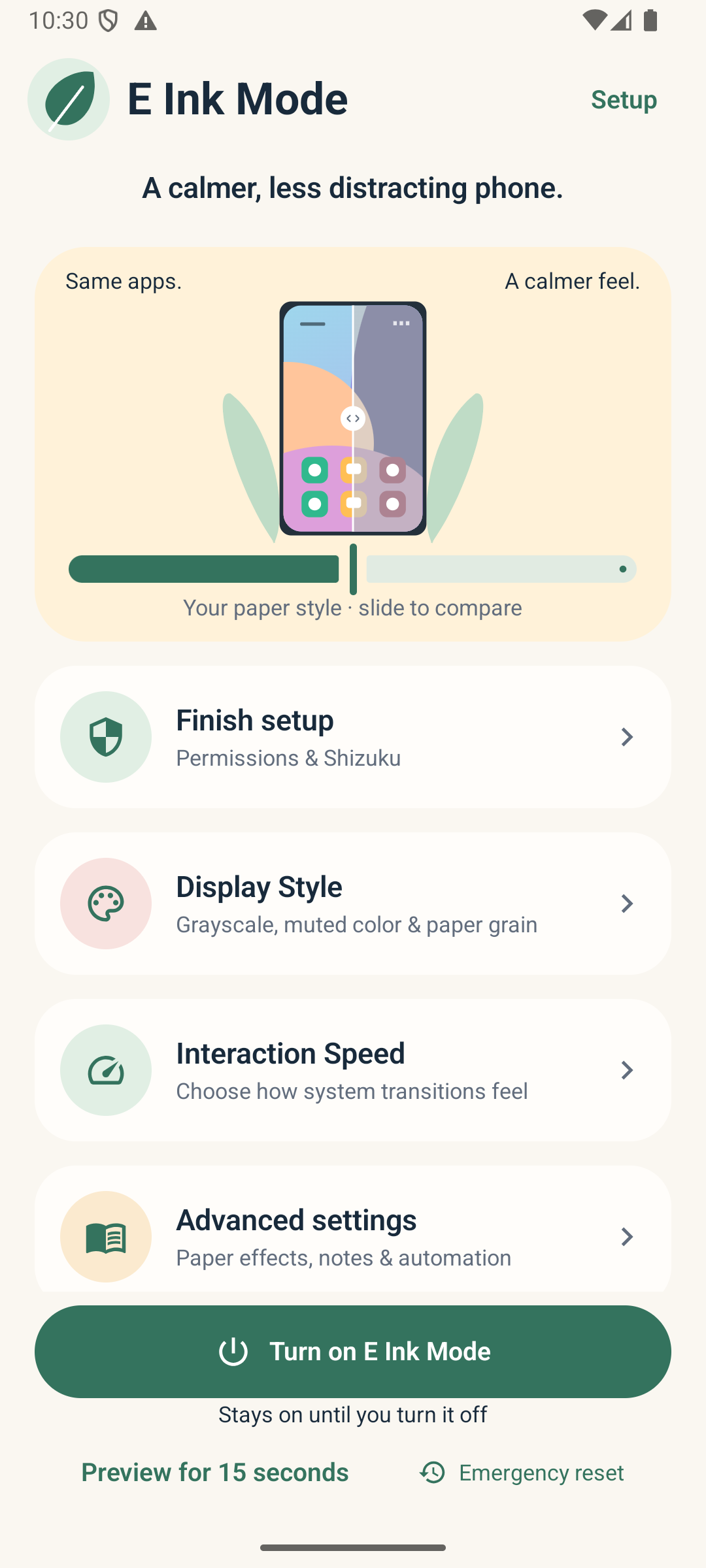
Choose grayscale or dial in muted colors across supported apps and system surfaces.
Explore display stylesSame apps. A softer look. Turn down the color, bring in a little paper, and make room for what matters.
Android 10+ · Early access · 10.1 MB
A softer perspective.
 ColorMuted
Warmth. Texture. A slower pace.
A familiar phone, with a different feel.
Device support varies. Check compatibility
Color can be a little loud. Find a softer balance, from gently muted to fully grayscale.
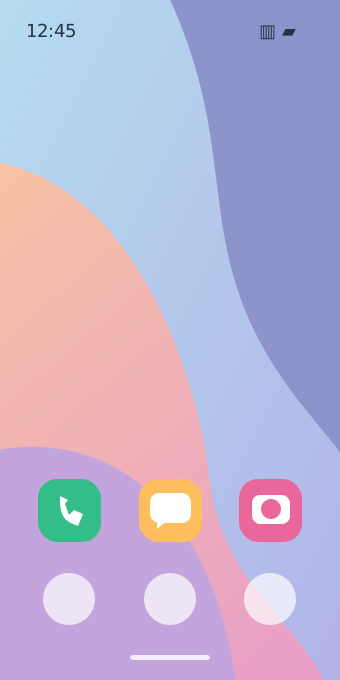
Interactive illustration, not a screen capture.
Actual effects depend on your device and permissions.
A tiny paper studio. Go ahead, play.
A quieter look, without leaving your favorite apps behind.
Choose grayscale or dial in muted colors across supported apps and system surfaces.
Explore display stylesAdjust Android transition speeds. Add paper warmth, grain, patterns and simulated residue.
See how it worksCamera and Gallery can keep their colors. A persistent reset action puts you back in control.
Understand the controlsA familiar phone can feel a little less demanding. Make space for a good book, a thoughtful message, or simply being here.
Same powerful phone.
Downloading is the beginning. Android needs your permission to change how other apps look.
Download the early-access APK on an Android 10+ device. Open it and review Android’s installation prompts.
Android may ask you to allow installation from this browser or file manager. You can turn that permission off again afterward. Leave Play Protect enabled.
See the downloadDesigned for Android 10 and newer, across brands. Manufacturers handle display controls differently, so some effects may be unavailable or behave differently on your device.
No. It creates an e-paper-inspired appearance on your existing OLED or LCD. Paper grain, shadows and residue are visual simulations, not captured remnants of other apps. There is no promise of e-reader battery savings or medical eye-health benefits.
Shizuku is a separate, free helper that gives authorized apps access to certain Android system operations. Root is not required: Android 11+ can use wireless debugging; Android 10 generally needs a computer. Start it again after a reboot. Intermediate muted colors need it; native grayscale can work without it after the system-settings grant.
Get Shizuku from its official site ↗Depending on what you select, colors may become muted or gray, paper overlays may add warmth and texture, and Android transitions may slow down. Some apps animate independently. Camera and Gallery bypass is on by default; you can edit your app rules. Protected screens may keep their original appearance.
Use Turn off & restore or Emergency Reset in the app or its notification. The app records supported original settings before changing them. Reset before force-stopping or uninstalling: Android does not guarantee cleanup after either action. If recovery needs Shizuku, reconnect it and reset again.
Preview for 15 seconds first. A normal session can stay on until you turn it off, or use a timer.
First turn the mode on; choosing a style alone doesn’t activate it. Check Setup for the system-settings grant, overlays, accessibility, notifications and Shizuku connection. Check whether that app is bypassed. Some phones need the display-wide compatibility option for muted colors; unsupported controls may stop activation rather than report success.
Grain shifts at most once per minute while visible. Residue varies between clearing cycles, with a bounded trace cache. Choose automatic clearing after 12, 32, 100, 250, 500 or 1,000 interaction bursts, or choose Manual. Other enabled waveform options may clear earlier.
Residue is a visual simulation, not captured screen content. This build does not add screen recording or screen-capture access.
Unchanged settings no longer redraw paper. Grain uses a cached texture, periodic checks stop when the screen is off, and widget action animations settle rather than looping continuously.
Battery drain has not been measured on physical phones. Strong pale grain can brighten dark OLED pixels and increase display power. For the lowest overhead, reduce grain and warmth and leave optional flashes and haptics off.
Occasional grain movement is not guaranteed burn-in protection, and Clear paper is not an OLED panel-refresh function. Avoid prolonged static images at high brightness.
Google’s OLED screen guidance ↗The paper layer requests the full available display area, but Android places ordinary overlays below critical system windows. Opaque status and navigation bars may keep their normal appearance. Native full grayscale has broader color coverage; paper texture and partial desaturation cannot be guaranteed over every system surface.
No. Version 1.5.2 is an early-access, developer-signed testing APK using an Android debug signing certificate. It has passed automated checks, but that is not an independent security audit or proof of support for every Android device. Keep important notes exported and review the permissions before installing.
Download E Ink Mode and make it your own.
Early-access testing build. Setup requires system-settings access and notifications. Paper effects need overlay and accessibility access; intermediate muted colors need Shizuku. Read the permissions and compatibility notes before installing.
New here? Start with the setup guide1.5.2 · Paper & widget refinement
Shifting grain, varied residue, clearing intervals up to 1,000 interactions or Manual, and stronger widget transitions that settle after each action. Unchanged settings no longer redraw paper, and periodic checks stop with the screen off. Direct widget controls still work without opening the app. Same app identity as E-Ink Ultra; installs as an update to compatible earlier builds.
SHA-256 cc44589851817a8cb39b64ef425dcb7003fd62825e2debf382fe05bd2fdbb016
A matching checksum verifies file integrity, not the app’s security. This APK uses a debug signing certificate and is not independently audited.